



Description
 Key Features: Antares Auto-Tune Bundle 2026
 Key Features: Antares Auto-Tune Bundle 2026
 LICENSE TYPE: FULLY PREACTIVATED
 (EASY INSTALLATION TUTORIAL)
 LIFETIME ACTIVATION
 CRACK-FREE, MALWARE VIRUS-FREE
 FULL FEATURES
 INSTANT DOWNLOAD
 NO KEY-GEN, VIRUSES, OR WEIRD DOWNLOADS
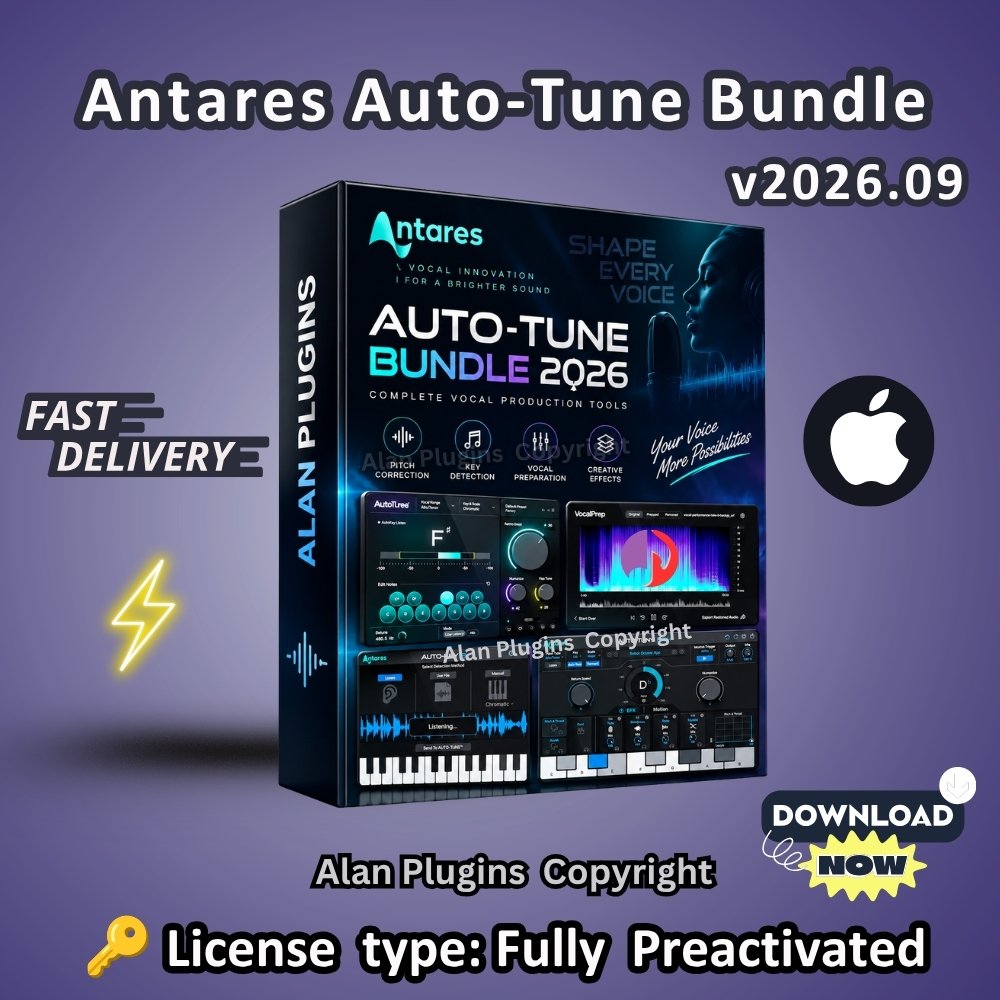
🎤 Antares Auto-Tune Bundle 2026 for macOS brings together a powerful collection of vocal-production tools for pitch correction, creative vocal effects, key detection, and vocal preparation.
🎚️ Auto-Tune 2026 delivers real-time pitch correction with a streamlined workflow, low-latency processing, Humanize and Flex Tune controls, and Classic and Modern modes. Antares also lists native Apple Silicon support for current AutoTune products.
🎼 Auto-Key helps identify the key and scale of your music so you can configure pitch-processing tools more efficiently. Auto-Key can analyze harmonic material and send key and scale information to compatible Auto-Tune versions.
🎛️ Auto-Tune EFX+ combines pitch processing with creative vocal effects, giving producers additional ways to shape and stylize vocal performances.
🧹 Vocal Prep focuses on cleaning vocal recordings by removing unwanted room noise and artifacts while preparing tracks for subsequent production and mixing. It can also operate as a standalone application without requiring a DAW.
🎧 Together, these tools cover important stages of a modern vocal workflow—from identifying the musical key and cleaning raw recordings to tuning vocals and adding creative effects.
📦 What’s Included
🎵 Auto-Key — Key and scale detection for easier pitch-processing setup.
🎙️ Auto-Tune 2026 — Real-time vocal pitch correction with low-latency and high-quality processing modes.
🎛️ Auto-Tune EFX+ — Pitch correction combined with creative vocal effects.
🧹 Vocal Prep — Vocal cleanup and preparation for production workflows.
🚀 Key Features
🎯 Professional vocal pitch correction
⚡ Real-time and low-latency vocal processing
🎼 Key and scale detection
🎚️ Humanize and Flex Tune controls
🌀 Creative vocal effects
🧹 Vocal noise and artifact cleanup
🍎 Apple Silicon native support for current AutoTune products
🎛️ VST3, AU and AAX support for AutoTune 2026
🎧 Compatible with major DAWs that support the appropriate plugin formats
💻 System Requirements – macOS
🍎 Operating System: macOS 14 or later for AutoTune 2026.
🧠 Processor: Apple Silicon supported on current Antares plugins; compatibility can vary by individual product.
🎛️ Plugin Formats: VST3, AU/AUv2 and AAX for AutoTune 2026.
🎚️ DAW: A compatible DAW is required for plugin use; Vocal Prep can also run as a standalone application.
💾 Installation: AutoTune Central manages installation and activation of Antares plugins.
Compatibility note: Individual products within the bundle may have different minimum requirements. Check each product’s current compatibility information before installation.
🔗 Related Music Production Products
🎹 Explore virtual instruments with Arturia Pigments
🎼 Discover professional synthesizers and instruments with Arturia Analog Lab V
🌌 Explore advanced vocal and sound-production workflows with Spectrasonics Omnisphere
🎻 Browse professional sampling instruments with Native Instruments Kontakt 7
❓ FAQs
🎤 What is the Antares Auto-Tune Bundle 2026?
The Antares Auto-Tune Bundle 2026 combines Auto-Key, Auto-Tune 2026, Auto-Tune EFX+, and Vocal Prep into a vocal-production toolkit covering key detection, pitch correction, creative effects, and vocal cleanup.
🎚️ What does Auto-Tune 2026 do?
Auto-Tune 2026 provides real-time pitch correction for vocals and compatible monophonic instruments. It includes controls such as Retune Speed, Humanize and Flex Tune, along with Classic and Modern processing modes.
🎼 What is Auto-Key used for?
Auto-Key helps identify the key and scale of music, making it easier to configure compatible Auto-Tune products correctly.
🎛️ What is Auto-Tune EFX+ used for?
Auto-Tune EFX+ combines pitch-processing capabilities with creative vocal effects, allowing producers to correct vocals while adding additional character and effects.
🧹 What does Vocal Prep do?
Vocal Prep analyzes vocal recordings and helps remove unwanted room noise, hum, buzz and other artifacts while preserving the character of the performance.
🍎 Does Auto-Tune 2026 work on Apple Silicon Macs?
Yes. Antares currently provides native Apple Silicon compatibility for its current AutoTune and vocal-plugin products, including support for Apple Silicon processors up to M4.
💻 What macOS version does Auto-Tune 2026 require?
Antares lists macOS 14 or higher for AutoTune 2026. Individual products may have different requirements.
🎧 Can Auto-Tune 2026 work with Logic Pro and Ableton Live?
Yes. Antares states that AutoTune 2026 works with major DAWs including Logic Pro, Ableton Live, Pro Tools, Cubase, Studio One and FL Studio, using supported plugin formats such as VST3, AU and AAX.
🎙️ Can I use Auto-Tune for live vocals?
Yes. AutoTune 2026 includes a low-latency processing mode designed for real-time use and live performance.
🎹 Can Auto-Tune 2026 process instruments?
Yes. AutoTune 2026 can process monophonic instruments, meaning instruments that play one pitch at a time. It does not accurately pitch-correct polyphonic material containing multiple simultaneous pitches.







&url=https://alanplugins.com/product/arturia-v-collection/&media=https://alanplugins.com/wp-content/uploads/2024/08/Arturia-V-Collection-9-for-Music-Production-Software-Instruments-Daw-Vst-Plugins-Reverb-Effects-Lifetime-Activation-Aax-Vst3-Vst-Vst2-macOS-1-1024x1024.jpg)

Reviews
There are no reviews yet.